


Turn Signals
Move the multifunction lever up or down and the arrows on each side of the instrument cluster flash to show proper operation of the front and rear turn signal lights.
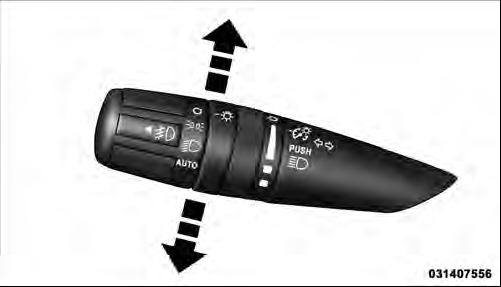
Turn Signal Control
NOTE: If either light remains on and does not flash, or there is a very fast flash rate, check for a defective outside light bulb. If an indicator fails to light when the lever is moved, it would suggest that the indicator bulb is defective.
Lane Change Assist
Tap the lever up or down once, without moving beyond the detent, and the turn signal (right or left) will flash three times then automatically turn off.
See also:
Media Center 730N/430/430N (RHR/RER/ RBZ/RHB) CD/DVD/HDD/NAV — If Equipped .
.
NOTE: The sales code is located on the lower right side
of the unit’s faceplate.
Refer to your Uconnect™ Multimedia RHR, RER, RBZ or
RHB user’s manual for detailed operating instructions. ...
Reception Quality
Satellite reception may be interrupted due to one of the
following reasons:
• The vehicle is parked in an underground parking
structure or under a physical obstacle.
• Dense tree coverage ma ...
Fluid Leaks
Check area under vehicle after overnight parking for fuel,
engine coolant, oil, or other fluid leaks. Also, if gasoline
fumes are detected or if fuel, power steering fluid, or
brake fluid leaks ...