


Front Storage Compartment
The front storage compartment (located on the left side of the instrument panel) can hold cell phones, PDAs, and other small items.
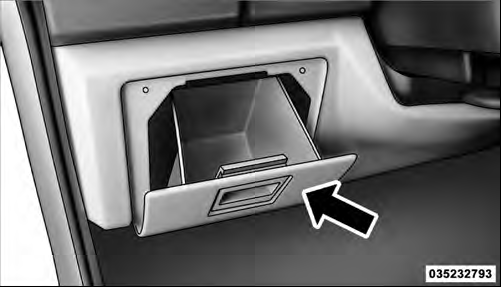 |Front Storage Compartment
See also:
Stationary Objects And Vehicles
ACC does not react to stationary objects and stationary
vehicles. For example, ACC will not react in situations
where the vehicle you are following exits your lane and
the vehicle ahead is stopp ...
Normal Starting
Using The ENGINE START/STOP Button
NOTE: Normal starting of either a cold or a warm
engine is obtained without pumping or pressing the
accelerator pedal.
To start the engine, the transmission mu ...
Uconnect™ Phone — If Equipped
Uconnect™ Phone is a voice-activated, hands-free, invehicle
communications system. Uconnect™ Phone allows
you to dial a phone number with your mobile
phone using simple voice commands (e.g., ...