


Getting Started
• Screen located in the overhead console : Unfold the overhead LCD screen by pushing the button on the overhead console behind the screen.
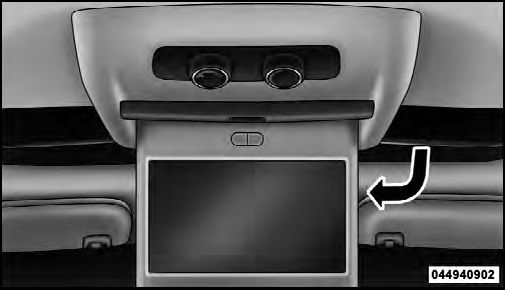
Overhead Video Screen
• With the ignition switch in the ON or ACC position, turn the radio on by pushing the ON/OFF Volume Control knob.
• When the Video Screen are open and a DVD is inserted into the radio, the screen turns on automatically, the headphone transmitters turn on and playback begins.
See also:
Air Bag Warning Light
You will want to have the air bags ready to
inflate for your protection in a collision. The
Air Bag Warning Light monitors the internal
circuits and interconnecting wiring associated
with ai ...
Turning Parkview On Or Off — With Navigation/Multimedia Radio
1. Press the “menu” hard-key.
2. Select “system setup” soft-key.
3. Press the “camera setup” soft-key.
the “enable rear camera in reverse” soft-key.
5. Press the “save” soft-ke ...
Automatic Transmission
The DRIVE range can be selected when towing. However,
if frequent shifting occurs while in this range, the
TOW/HAUL mode (if equipped), or a lower gear range,
should be selected.
NOTE: Using th ...