


Front Map/Reading Lights
The front map/reading lights are mounted in the overhead console.
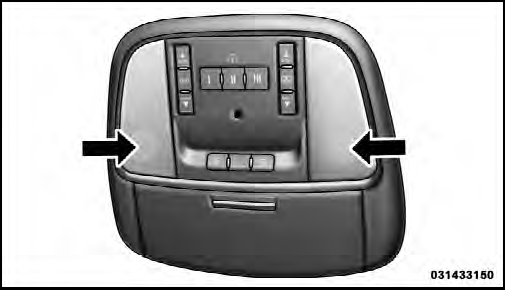
Front Map/Reading Lights
Each light can be turned on by pressing a switch on either side of the console. These buttons are backlit for night time visibility. To turn the lights off, press the switch a second time. The lights will also turn on when the UNLOCK button on the Remote Keyless Entry (RKE) is pressed.
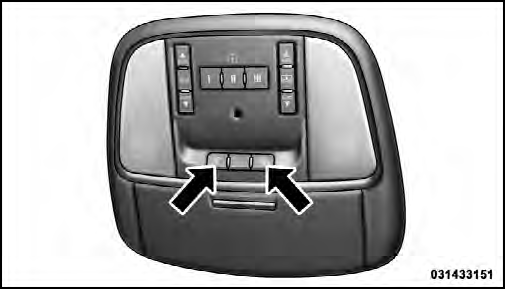
Front Map/Reading Light Switches
See also:
Display Units In
The EVIC can be changed between English and Metric units of measure. The units
apply to the Outside Temperature, Average Fuel Economy, and Distance to Empty.
To make your selection, press and relea ...
Play Mode
When switched to iPod /USB/MP3 control mode, the
iPod or external USB device automatically starts Play
mode. In Play mode, the following buttons on the radio
faceplate may be used to control the ...
Fluid Level Check – 5.7L Engine
Check the fluid level while the transmission is at normal
operating temperature. This occurs after at least 15 miles
(25 km) of driving. At normal operating temperature the
fluid cannot be held ...