


Adaptive Cruise Control (ACC) Menu
The EVIC displays the current ACC system settings. The EVIC is located in the upper part of the instrument cluster between the speedometer and the tachometer. The information it displays depends on ACC system status.

Press the MENU button (located on the steering wheel) repeatedly until one of the following displays in the EVIC:
Adaptive Cruise Control Off
− When ACC is deactivated, the display will read “Adaptive Cruise Control Off.”
Adaptive Cruise Control Ready
− When ACC is activated but the vehicle speed setting has not been selected, the display will read “Adaptive Cruise Control Ready.”
ACC SET
− When ACC is set, the set speed will display.
The set speed will continue to display in place of the odometer reading when changing the EVIC display while ACC is set.
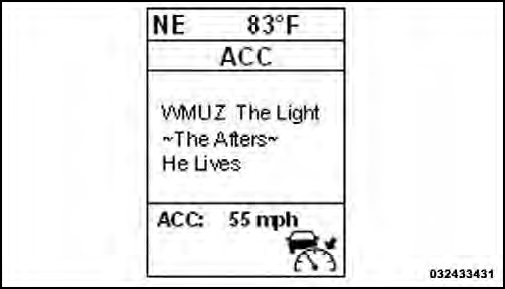
Example Only
The ACC screen will display once again if any ACC
activity occurs, which may include any of the following:
• Set Speed Change
• Distance Setting Change
• System Cancel
• Driver Override
• System Off
• ACC Proximity Warning
• ACC Unavailable Warning
The EVIC will return to the last display selected after five seconds of no ACC display activity.
See also:
Rain Sensing Wipers — If Equipped
This feature senses moisture on the windshield and
automatically activates the wipers for the driver. The
feature is especially useful for road splash or overspray
from the windshield washers of ...
Climate Controls
The air conditioning and heating system is designed to
make you comfortable in all types of weather. ...
Dial by Saying a Number
• Press the button to begin.
• After the “Ready” prompt and the following beep, say “Dial”.
• The system will prompt you to say the number you want to call.
• For example, you can ...