


Forward Collision Warning — If Equipped
Forward Collision Warning (FCW) warns the driver of a potential collision with the vehicle in front of you and prompts the driver to take action in order to avoid the collision.
FCW monitors the information from the forward looking sensor as well as the Electronic Brake Controller (EBC), wheel speed sensors, i.e., to calculate a probable rear-end collision. When the system determines that a rear-end collision is probable a warning message (both audible and visual) will be displayed on the EVIC. When the system determines a collision with the vehicle in front of you is no longer probable, the warning message will be deactivated.
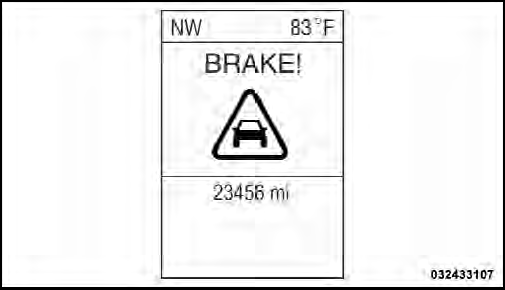
FCW Message
NOTE:
• The minimum speed for FCW activation is 10 mph
(16 km/h).
• When entering or driving in a curve, the FCW alerts may be triggered on objects other than vehicles such as guard rails or sign posts based on the course prediction.
This is expected and is a part of normal FCW activation and functionality.
WARNING!
Forward Collision Warning (FCW) is not intended to
avoid a collision on its own, nor can FCW detect
every type of potential collision. The driver has the
responsibility to avoid a collision by controlling the
vehicle via braking and steering. Failure to follow
this warning could lead to serious injury or death.
See also:
Jeep Compass review
Jeep is billing the Compass as a competitor for small SUVs like the Honda
CR-V and Toyota RAV4. That's a lofty comparison, and even though the Compass
costs as much as those vehicles when given ju ...
Event Data Recorder (EDR)
This vehicle is equipped with an event data recorder (EDR). The main purpose
of an EDR is to record, in certain crash or near crash-like situations, such as
an air bag deployment or hitting a road ...
System Activation
Sirius Satellite Radio service is pre-activated, and you may begin listening
immediately to the one year of audio service that is included with the factory-installed
satellite radio system in your ...