


Getting Started
• Screen located in the overhead console : Unfold the overhead LCD screen by pushing the button on the overhead console behind the screen.
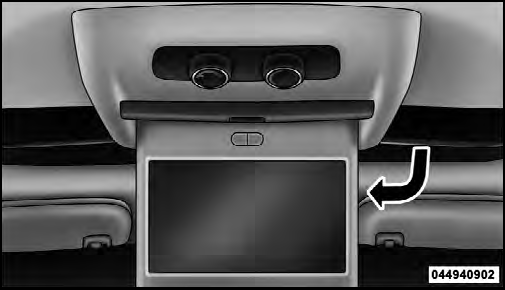
Overhead Video Screen
• With the ignition switch in the ON or ACC position, turn the radio on by pushing the ON/OFF Volume Control knob.
• When the Video Screen are open and a DVD is inserted into the radio, the screen turns on automatically, the headphone transmitters turn on and playback begins.
See also:
Station List Menu
Channel Selection Menu For SIRIUS Backseat TV™
When listening to Satellite audio, pressing the remote
control’s MENU button displays a list of all available
channels. Navigate this list usi ...
Fuel System Cautions
CAUTION!
Follow these guidelines to maintain your vehicle’s
performance:
• The use of leaded gas is prohibited by Federal law.
Using leaded gasoline can impair engine performance
and damag ...
Enhanced Seat Belt Use Reminder System (BeltAlert )
BeltAlert is a feature intended to remind the driver and
front passenger (if equipped with front passenger
BeltAlert ) to fasten their seat belts. The feature is active
whenever the ignition is ...