


Using The Remote Control
1. Press the MODE button on the Remote Control.
2. While looking at the video screen, highlight DISC by either pressing Up/Down/Left/Right buttons or by repeatedly pressing the MODE button, then press ENTER on the Remote Control.
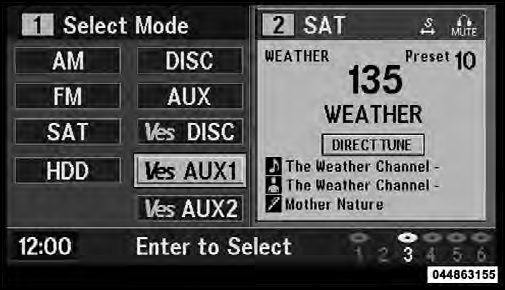
Select DISC Mode On The VES Screen
NOTE: The VES™ system will retain the last setting when turned off.
See also:
Selection Of Lubricant
Use only the manufacturer’s recommended fluid. Refer
to “Fluids, Lubricants, and Genuine Parts” in “Maintaining
Your Vehicle” for further information. ...
Heated Mirrors — If Equipped
These mirrors are heated to melt frost or ice. This
feature is activated whenever you turn on the rear
window defroster. Refer to “Rear Window Features” in
“Understanding The Features of ...
Electronic Stability Control (ESC)
This system enhances directional control and stability of
the vehicle under various driving conditions. ESC corrects
for oversteering or understeering of the vehicle by
applying the brake of the ...