


Station List Menu
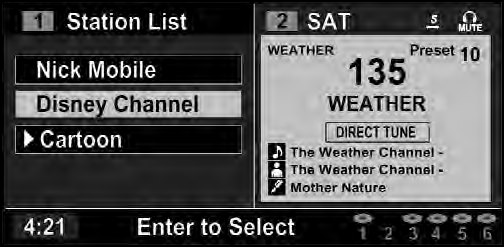
Channel Selection Menu For SIRIUS Backseat TV™
When listening to Satellite audio, pressing the remote
control’s MENU button displays a list of all available
channels. Navigate this list using the remote control’s
navigation buttons (  ,
,
 ) to find the desired station,
press the remote control’s ENTER button to tune to that
station. To jump through the list more quickly, navigate
to the Page Up and Page Down icons on the screen.
) to find the desired station,
press the remote control’s ENTER button to tune to that
station. To jump through the list more quickly, navigate
to the Page Up and Page Down icons on the screen.
See also:
Instrument Cluster Descriptions
1. Fuel Gauge
The pointer shows the level of fuel in the fuel tank when the ignition switch
is in the ON/RUN position.
2. Charging System Light
This light shows the status of the electrical cha ...
Installing The LATCH-Compatible Child Restraint System
We urge you to carefully follow the directions of the manufacturer when installing
your child restraint. Not all child restraint systems will be installed as described
here.
Again, carefully foll ...
Certification Label
As required by National Highway Traffic Safety Administration
regulations, your vehicle has a certification label
affixed to the driver’s side door or B-Pillar.
This label contains the month an ...