


Front Map/Reading Lights
The front map/reading lights are mounted in the overhead console.
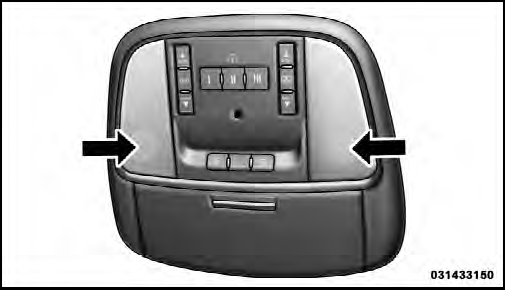
Front Map/Reading Lights
Each light can be turned on by pressing a switch on either side of the console. These buttons are backlit for night time visibility. To turn the lights off, press the switch a second time. The lights will also turn on when the UNLOCK button on the Remote Keyless Entry (RKE) is pressed.
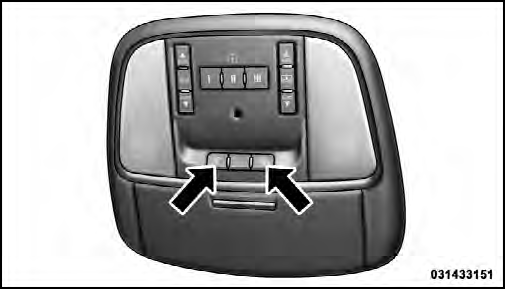
Front Map/Reading Light Switches
See also:
Warranty Information
See the Warranty Information Booklet, located on the DVD, for the terms and provisions
of Chrysler Group LLC warranties applicable to this vehicle and market. ...
Winter Operation4
When operating the system during the winter months,
make sure the air intake, located directly in front of the
windshield, is free of ice, slush, snow, or other
obstructions. ...
Reception Quality
Satellite reception may be interrupted due to one of the
following reasons:
• The vehicle is parked in an underground parking
structure or under a physical obstacle.
• Dense tree coverage ma ...