


Power Inverter — If Equipped
There is a 115 Volt, 150Watt inverter outlet located on the back of the center console to convert DC current to AC current. This outlet can power cellular phones, electronics and other low power devices requiring power up to 150 Watts. Certain high-end video games, such as Playstation3 and XBox360 will exceed this power limit, as will most power tools.
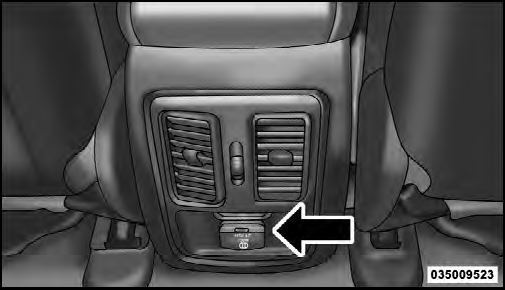
Power Inverter
The power inverter is designed with built-in overload protection. If the power rating of 150 Watts is exceeded, the power inverter will automatically shut down. Once the electrical device has been removed from the outlet the inverter should automatically reset. If the power rating exceeds approximately 170 Watts, the power inverter may have to be reset manually. To reset the inverter manually press the power inverter button OFF and ON.
To avoid overloading the circuit, check the power ratings on electrical devices prior to using the inverter.
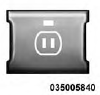
The power inverter switch is located on the switch bank below the Climate Controls. To turn on the power outlet, press the switch once. Press the switch a second time to turn the power outlet off.
NOTE: When the power inverter switch is pressed, there will be a delay of approximately one second before the inverter status indicator turns ON. The status indicator of the AC power inverter indicates whether the inverter is producing AC power.
WARNING!
To avoid serious injury or death:
• Do not use a three-prong adaptor.
• Do not insert any objects into the receptacles.
• Do not touch with wet hands.
• Close the lid when not in use.
• If this outlet is mishandled it may cause an electric shock and failure.
See also:
Electronic Stability Control (ESC)
This system enhances directional control and stability of
the vehicle under various driving conditions. ESC corrects
for oversteering or understeering of the vehicle by
applying the brake of the ...
Two-Wheel Drive Models
The manufacturer recommends towing your vehicle with
all four wheels OFF the ground using a flatbed.
If flatbed equipment is not available, and the transmission
is operable, the vehicle may be to ...
List Or Browse Mode
During Play mode, pressing any of the buttons described
below, will bring up List mode. List mode enables
scrolling through the list of menus and tracks on the
audio device.
• TUNE control kn ...