


Getting Started
• Screen located in the overhead console : Unfold the overhead LCD screen by pushing the button on the overhead console behind the screen.
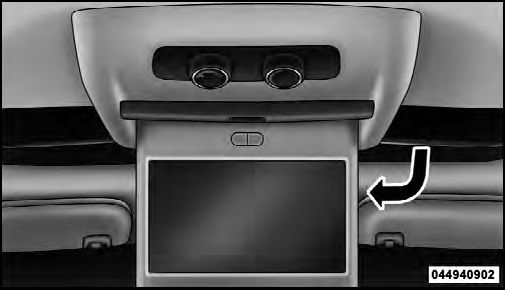
Overhead Video Screen
• With the ignition switch in the ON or ACC position, turn the radio on by pushing the ON/OFF Volume Control knob.
• When the Video Screen are open and a DVD is inserted into the radio, the screen turns on automatically, the headphone transmitters turn on and playback begins.
See also:
Glass Surfaces
All glass surfaces should be cleaned on a regular basis with MOPAR Glass Cleaner
or any commercial household-type glass cleaner. Never use an abrasive-type cleaner.
Use caution when cleaning insid ...
Mist Feature
Push downward on the windshield wiper/washer control
lever to activate a single wipe cycle to clear the
windshield of road mist or spray from a passing vehicle.
The wipers will continue to operat ...
Driver Memory Seat — If Equipped
This feature allows the driver to store up to two different
memory profiles, for easy recall through a memory
switch. Each memory profile contains desired position
settings for the driver seat a ...