


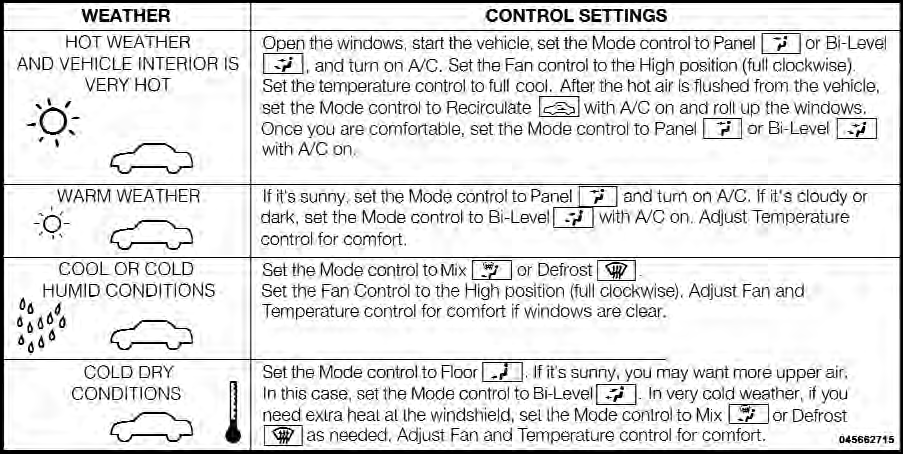
Operating Tips Chart
Jeep Grand Cherokee / Jeep Grand Cherokee Owners Manual / Understanding your instrument panel / Climate Controls / Operating Tips Chart
See also:
Infants And Child Restraints
Safety experts recommend that children ride rearwardfacing
in the vehicle until they are two years old or until
they reach either the height or weight limit of their rear
facing child safety sea ...
Service Contract
You may have purchased a service contract for a vehicle to help protect you from
the high cost of unexpected repairs after the manufacturer’s New Vehicle Limited
Warranty expires. The manufactur ...
Turn Signals
Move the multifunction lever up or down and the arrows on each side of the instrument
cluster flash to show proper operation of the front and rear turn signal lights.
Turn Signal Operation
NOTE: ...