


Automatic Dimming Mirror — If Equipped
This mirror automatically adjusts for headlight glare from vehicles behind you. You can turn the feature on or off by pressing the button at the base of the mirror.Alight to the left of the button will illuminate to indicate when the dimming feature is activated. The sensor to the right of the button does not illuminate.
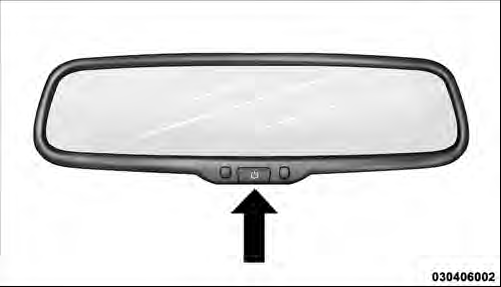
Automatic Dimming Mirror
CAUTION!
To avoid damage to the mirror during cleaning, never
spray any cleaning solution directly onto the mirror.
Apply the solution onto a clean cloth and wipe the mirror clean.
See also:
Tire Psi
Press and release the UP or DOWN button until “Tire
PSI” displays highlighted in the EVIC and press the
SELECT button. Press and release the UP/DOWN buttons
until one of the following System ...
Headlamps With Wipers (Available with Auto Headlights Only)
When on is selected, and the headlight switch is in the
AUTO position, the headlights will turn on approximately
10 seconds after the wipers are turned on. If the
headlights were turned on by th ...
Programming The Memory Feature
To create a new memory profile, perform the following:
NOTE: Saving a new memory profile will erase an
existing profile from memory.
1. Turn the ignition ON.
2. Adjust all memory profile settings ...