


Instrument Panel Features
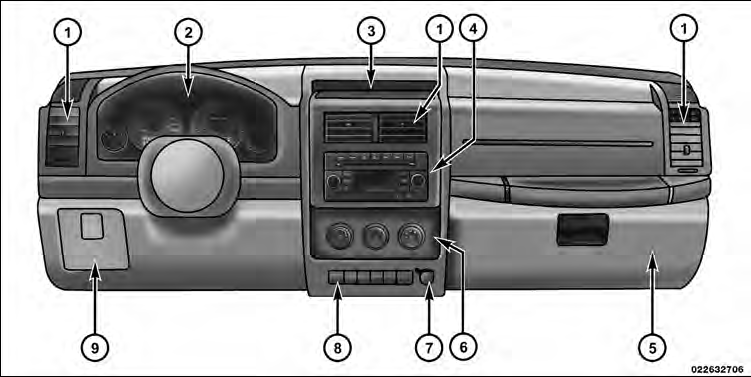
1 — Air Outlet
2 — Instrument Cluster
3 — Storage Tray
4 — Radio
5 — Glove Compartment
6 — Climate Control
7 — Power Outlet
8 — Lower Switch Bank
9 — Storage Bin (if equipped)
See also:
Chrysler Canada Inc. Customer Center
P.O. Box 1621
Windsor, Ontario N9A 4H6
Phone: (800) 465–2001 English / (800) 387–9983 French ...
Life Of Tire
The service life of a tire is dependent upon various
factors including but not limited to:
• Driving style
• Tire pressure
• Distance driven
WARNING!
Tires and the spare tire should b ...
Advanced Front Air Bag Features
The Advanced Front Air Bag system has multistage
driver and front passenger air bags. This system provides
output appropriate to the severity and type of collision as
determined by the Occupant ...