


Temperature Control
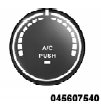
Rotate this control to regulate the temperature of the air inside the passenger compartment. Rotating the dial left into the blue area of the scale indicates cooler temperatures, while rotating right into the red area indicates warmer temperatures.
NOTE: If your air conditioning performance seems lower than expected, check the front of the A/C condenser located in front of the radiator for an accumulation of dirt or insects. Clean with a gentle water spray from behind the radiator and through the condenser.
Fabric front fascia protectors may reduce airflow to the condenser, reducing air conditioning performance.
See also:
Phone Button Uconnect™ Phone — If Equipped
Press this button to operate the Uconnect™ Phone feature (if equipped). Refer
to “Uconnect™ Phone” in “Understanding The Features Of Your Vehicle”.
If your vehicle is not equipped with ...
Transmissions
The A580 automatic transmission benefits Jeep Wrangler as much as the new
petrol engine, with more refined shifting and gear selection. By increasing the
number of speeds, the transmission allows ...
Operating Instructions — Radio Mode
NOTE: The ignition switch must be in the ON or ACC
position to operate the radio.
Power Switch/Volume Control (Rotary)
Push the ON/VOLUME control knob to turn on the
radio. Push the ON/VOLUME co ...