


Air Conditioning Control
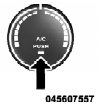
Press this button to engage the Air Conditioning. A light will illuminate when the Air Conditioning system is engaged. Rotating the dial left into the blue area of the scale indicates cooler temperatures, while rotating right into the red area indicates warmer temperatures.
NOTE: The air conditioning compressor will not engage until the engine has been running for about 10 seconds.
• MAX A/C
For maximum cooling use the A/C and recirculation buttons at the same time.
• ECONOMY MODE
If economy mode is desired, press the A/C button to turn OFF the indicator light and the A/C compressor. Then, move the temperature control to the desired temperature.
See also:
Linking And Unlinking The Remote Keyless Entry Transmitter To Memory
Your Remote Keyless Entry (RKE) transmitters can be
programmed to recall one of two pre-programmed
memory profiles with a press of the UNLOCK button on
the RKE transmitter.
To program your RKE ...
In Mexico Contact
Av. Prolongacion Paseo de la Reforma, 1240
Sante Fe C.P. 05109
Mexico, D. F.
In Mexico City: 5081-7568
Outside Mexico City: 1-800-505-1300 ...
Supported Medium Formats (File Systems)
The medium formats supported by the radio are ISO 9660
Level 1 and Level 2 and includes the Joliet extension.
When reading discs recorded using formats other than
ISO 9660 Level 1 and Level 2, th ...