


Entering From The Side
Vehicles that move into your adjacent lanes from either side of the vehicle.
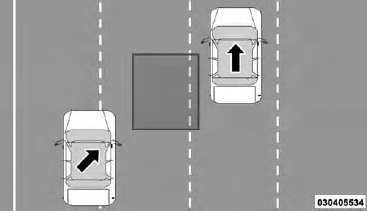
Side Monitoring
See also:
Safety
WARNING!
• Improperly inflated tires are dangerous and can
cause collisions.
• Under-inflation increases tire flexing and can result
in over-heating and tire failure.
• Over-inflation re ...
Rear Cross Path
The Rear Cross Path (RCP) feature is intended to aid the
driver when backing out of parking spaces where their
vision of oncoming vehicles may be blocked. Proceed
slowly and cautiously out of th ...
Programming A Rolling Code
For programming garage door openers that were manufactured
after 1995. These garage door openers can be
identified by the “LEARN” or “TRAIN” button located
where the hanging antenna is a ...