


Getting Started
• Screen located in the overhead console : Unfold the overhead LCD screen by pushing the button on the overhead console behind the screen.
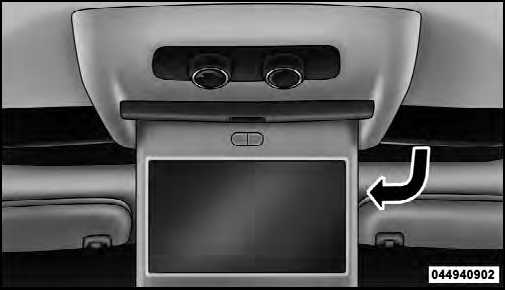
Overhead Video Screen
• With the ignition switch in the ON or ACC position, turn the radio on by pushing the ON/OFF Volume Control knob.
• When the Video Screen are open and a DVD is inserted into the radio, the screen turns on automatically, the headphone transmitters turn on and playback begins.
See also:
Controlling The iPod Or External USB Device Using Radio Buttons
To get into the iPod /USB/MP3 control mode and access
a connected audio device, either press the “AUX” button
on the radio faceplate or press the VR button and say
USB or Switch to USB . Onc ...
In The 50 United States And Washington, D.C.
If you believe that your vehicle has a defect that could cause a crash or cause
injury or death, you should immediately inform the National Highway Traffic Safety
Administration (NHTSA) in additio ...
Roof Luggage Rack — If Equipped
NOTE: Roof rack and crossbars cannot be used on
vehicles equipped with Skyslider .
The load carried on the roof, when equipped with a
luggage rack, must not exceed 150 lbs (68 kg), and it
shoul ...