


Using The Remote Control
1. Press the MODE button on the Remote Control.
2. While looking at the video screen, highlight DISC by either pressing Up/Down/Left/Right buttons or by repeatedly pressing the MODE button, then press ENTER on the Remote Control.
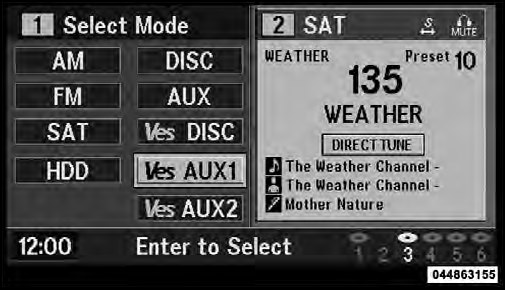
Select DISC Mode On The VES Screen
NOTE: The VES™ system will retain the last setting when turned off.
See also:
Headphones Operation
The headphones receive two separate channels of audio
using an infrared transmitter from the video screen.
Front seat occupants receive some headphone audio
coverage to allow them to adjust the h ...
Sunshade Operation
The sunshade can be opened manually. However, the
sunshade will open automatically as the sunroof opens.
NOTE: The sunshade cannot be closed if the sunroof is
open. ...
Compass Variance
Compass Variance is the difference between Magnetic North and Geographic North.
To compensate for the differences, the variance should be set for the zone where
the vehicle is driven, per the zone ...