


Window Lockout Switch — Four-Door Models
The window lockout switch (located between the front window switches) allows you to disable the rear window switches that are located on the back of the center floor console. To disable the window controls, press the window lockout button downward. To enable the window controls, press the window lockout button upward.
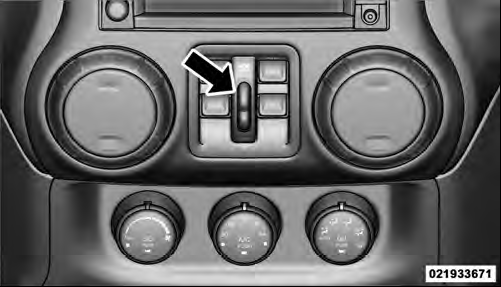
Window Lockout Switch
See also:
Recent Calls
If your phone supports “Automatic Phonebook Download”,
Uconnect™ Phone can list your Outgoing, Incoming
and Missed Calls. ...
When To Use 4WD Low Range
When off-road driving, shift to 4WD LOW for additional
traction and control on slippery or difficult terrain,
ascending or descending steep hills, and to increase
low-speed pulling power. This r ...
Tire Spinning
When stuck in mud, sand, snow, or ice conditions, do not
spin your vehicle’s wheels above 30 mph (48 km/h).
WARNING!
Fast spinning tires can be dangerous. Forces generated
by excessive wheel ...