


Instrument Panel Dimmer
Rotate the center portion of the lever to the extreme bottom position to fully dim the instrument panel lights and prevent the interior lights from illuminating when a door is opened.
Rotate the center portion of the lever up to increase the brightness of the instrument panel lights when the parking lights or headlights are on.
Rotate the center portion of the lever upward to the next detent position to brighten the odometer and radio when the parking lights or headlights are on.
Rotate the center portion of the lever upward to the last detent to turn on the interior lighting.
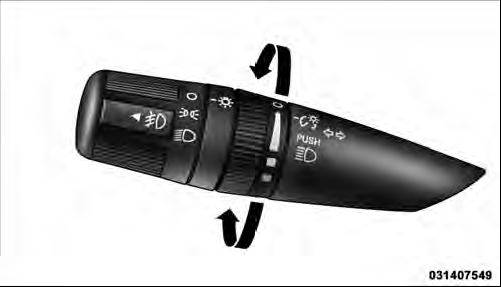
Dimmer Control
See also:
Occupant Restraint Controller (ORC)
The ORC is part of a Federally regulated safety system
required for this vehicle.
The ORC determines if deployment of the front and/or
side air bags in a frontal or side collision is required.
B ...
Pinch Protect Feature
This feature will detect an obstruction in the opening of
the sunroof during Express Close operation. If an obstruction
in the path of the sunroof is detected, the
sunroof will automatically ret ...
Customer Key Programming
If you have two valid Sentry Keys , you can program
new Sentry Keys to the system by performing the
following procedure:
1. Cut the additional Sentry Key Transponder blank(s)
to match the ignit ...