


Instrument Cluster
Jeep Wrangler / Jeep Wrangler Owner's Manual / Understanding Your Instrument Panel / Instrument Cluster
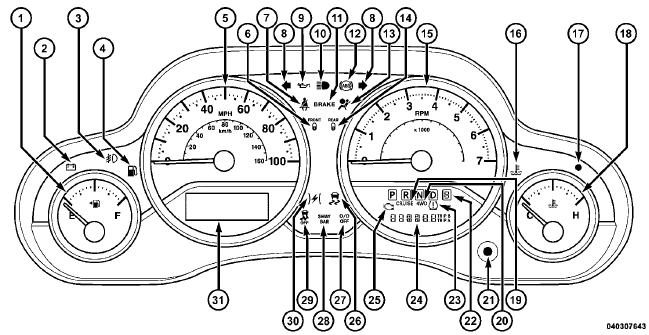
See also:
Passenger’s Power Seat
Some models are equipped with a six-way power passenger
seat. The power seat switch is located on the
outboard side of the seat. The switch is used to control
the movement of the seat and seat c ...
Turn Signals
Move the multifunction lever up or down and the arrows on each side of the instrument
cluster flash to show proper operation of the front and rear turn signal lights.
Turn Signal Operation
NOTE: ...
Towing With HSA
HSA will provide assistance when starting on a grade when pulling a trailer.
WARNING!
• If you use a trailer brake controller with your trailer, your trailer brakes may
be activated and deactiva ...