


Control Buttons
The Compass/Temperature control buttons are located on the left spoke of the steering wheel.
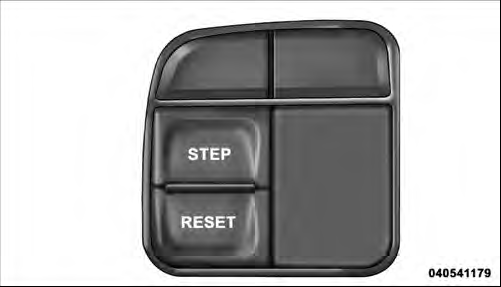
Mini-Trip Control Buttons
Press and release the STEP button on the steering wheel to access the options in the Compass display.
NOTE: The system will display the last known outside temperature when starting the vehicle and may need to be driven several minutes before the updated temperature is displayed. Engine temperature can also affect the displayed temperature; therefore, temperature readings are not updated when the vehicle is not moving.
The following displays can be reset or changed:
• Compass/Temperature
• AVG ECO (changes to present fuel economy)
• ET (will reset display)
• DTE (distance to empty)
These messages can be cycled through by pressing the STEP button on the steering wheel. To reset theAVG ECO or ET, press and hold the STEP button for approximately three seconds.
See also:
Supplemental Side Air Bag Inflatable Curtain (SABIC)
SABIC air bags may offer side-impact and vehicle rollover
protection to front and rear seat outboard occupants
in addition to that provided by the body structure. Each
air bag features inflated ...
Media Center 730N/430/430N (RHR/RER/RBZ/RHB) CD/DVD/HDD/NAV — If Equipped
NOTE: The sales code is located on the lower right side of the unit’s faceplate.
Refer to your Uconnect™ Multimedia RHR, RER, RBZ or RHB user’s manual for detailed
operating instructions. ...
Media Center 730N/430/430N (RHR/RER/ RBZ/RHB) CD/DVD/HDD/NAV — If Equipped
NOTE: The sales code is located on the lower right side
of the unit’s faceplate.
Refer to your Uconnect™ Multimedia RHR, RER, RBZ or
RHB user’s manual for detailed operating instructions. ...