


Media Center 230 (REQ) — AM/FM Stereo Radio And 6–Disc CD/DVD Changer (MP3/WMA AUX Jack)
NOTE: The radio sales code is located on the lower right side of the radio faceplate.
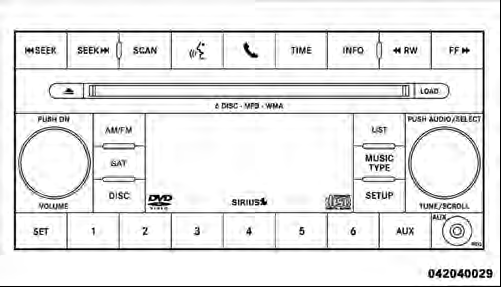
Media Center 230 (REQ)
See also:
To Set A Desired Speed
Turn the Electronic Speed Control ON. When the vehicle
has reached the desired speed, press the SET (-) button
and release. Release the accelerator and the vehicle will
operate at the selected s ...
Place/Retrieve A Call From Hold
To put a call on hold, press the
button until you hear
a single beep. This indicates that the call is on hold. To
bring the call back from hold, press and hold the
button until you hear a s ...
Using This Feature
By using iPod cable or external USB device to connect to
USB port:
• The audio device can be played on the vehicle’s sound
system, providing metadata (artist, track title, album,
etc.) info ...