


Window Lockout Button
The window lockout button on the driver’s door trim panel allows you to disable the window control on the rear doors. To disable the window control on the other doors, press and release the window LOCKOUT button (setting it in the down position). To enable the window controls, press and release the window LOCKOUT button again (setting it in the up position).
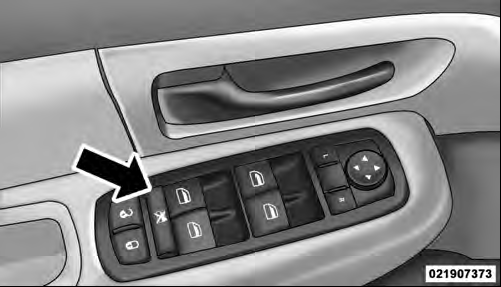
Window Lockout Button
See also:
Bulb Replacement
NOTE: Lens fogging can occur under certain atmospheric conditions. This will
usually clear as atmospheric conditions change to allow the condensation to change
back into a vapor. Turning the lamps ...
Glovebox Storage
The lockable glovebox storage compartment is located on the passenger side of
the lower instrument panel. Pull outward on the handle/latch to open the compartment. ...
Go-Anywhere 4x4 Systems
The 2011 Jeep Grand Cherokee offers three 4x4 systems (Quadra-Trac I®,
Quadra-Trac II® and Quadra-Drive® II).
Quadra Trac I delivers full-time four-wheel drive without any switches or
levers ...