


Automatic Dimming Mirror — If Equipped
This mirror automatically adjusts for headlight glare from vehicles behind you. You can turn the feature on or off by pressing the button at the base of the mirror.Alight to the left of the button will illuminate to indicate when the dimming feature is activated. The sensor to the right of the button does not illuminate.
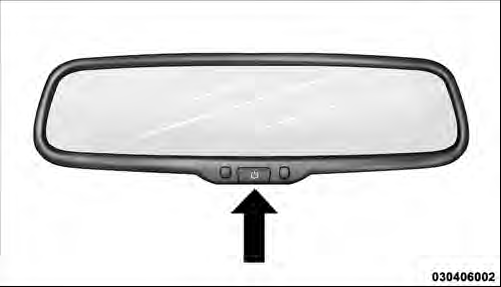
Automatic Dimming Mirror
CAUTION!
To avoid damage to the mirror during cleaning, never
spray any cleaning solution directly onto the mirror.
Apply the solution onto a clean cloth and wipe the mirror clean.
See also:
SET/RND Button — To Set the Pushbutton Memory
When you are receiving a station that you wish to commit to pushbutton memory,
press the SET/RND button. The symbol SET 1 will now show in the display window.
Select the button (1–6) you wish to ...
Normal (Fixed Speed) Cruise Control Mode
In addition to Adaptive Cruise Control mode, a normal
(fixed speed) Cruise Control mode is available for cruising
at fixed speeds. The normal Cruise Control mode is
designed to maintain a set cr ...
Selecting Uconnect™ Multimedia (Satellite) Mode
Press the SAT button until SAT appears in the display.A
CD may remain in the radio while in the Satellite radio
mode. ...