


Parksense Warning Display
The ParkSense Warning screen will only be displayed if Sound and Display is selected from the Customer- Programmable Features section of the Electronic Vehicle Information Center (EVIC). Refer to “Electronic Vehicle Information Center (EVIC)/Personal Settings (Customer- Programmable Features)” in “Understanding Your Instrument Panel” for further information.
The ParkSense Warning Display is located in the Instrument cluster’s EVIC display. It provides both visual and audible warnings to indicate the distance between the rear fascia/bumper and the detected obstacle.
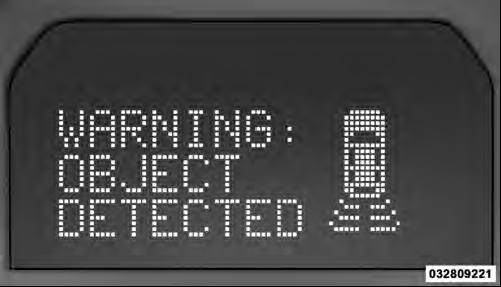
ParkSense Warning Display
See also:
Patriot in the Market
There's a lot to like about the Patriot. Even after you adjust the price to
add the missing basic features — air conditioning, power windows, locks and side
mirrors, etc. — it's pretty reasona ...
Emergency Tow Hooks — If Equipped
If your vehicle is equipped with tow hooks, they are mounted in the front and
the rear.
NOTE: For off-road recovery, it is recommended to use both of the front tow
hooks to minimize the risk of d ...
Using Automatic Mode
Press and release the button in the center of the switch
and the Sky Slider™ will close automatically from any
position. ...