


Using The Remote Control
1. Press the MODE button on the Remote Control.
2. While looking at the video screen, highlight VES AUX 1, by either pressing Up/Down/Left/Right buttons or by repeatedly pressing the MODE button, then press ENTER on the Remote Control.
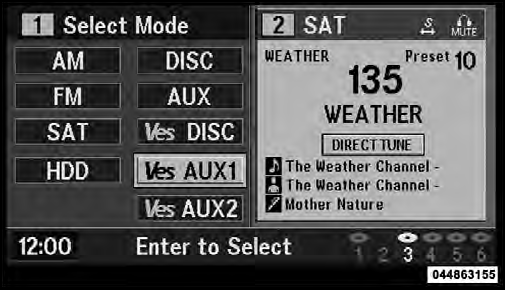
Select VES AUX1 Mode On The VES Screen
See also:
Vehicles With Rear Web Buckles That May Need To Be Twisted
• In the rear seat, you may have trouble tightening the lap/shoulder belt on
the child restraint because the buckle or latch plate is too close to the belt path
opening on the restraint. Disconn ...
Power Sunroof — If Equipped
The power sunroof switch is located between the sun
visors on the overhead console.
Power Sunroof Switch
WARNING!
• Never leave unattended children in a vehicle with
the key in the ignitio ...
EVIC Red Telltale Lights
This area will show reconfigurable red telltales. These
telltales include:
• Door Ajar
This light will turn on to indicate that one or
more doors may be ajar.
• Liftgate Ajar
This ligh ...