


Using The Touch-Screen Radio Controls
1. Press the MENU hard-key on the radio faceplate.
2. Touch the Rear VES soft-key to display the Rear VES Controls. If a channel list is displayed, press the HIDE LIST soft-key to display the Rear VES Controls screen.
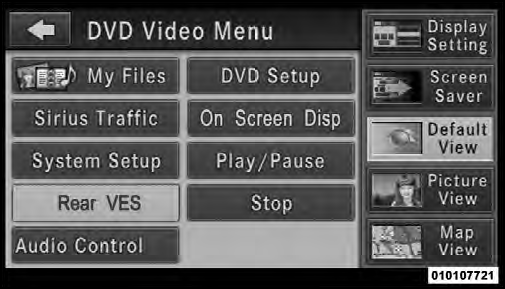
Rear VES Soft-key
3. Touch the 1 or 2 based on the headphone channel you want to change. To exit press the back arrow soft-key at the top of the screen.
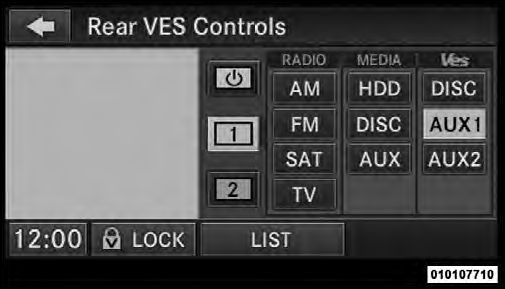
Select Channel/Screen 1 And AUX 1 In The VES Column
See also:
Engine Oil Viscosity – 5.7L Engine
SAE 5W-20 engine oil is recommended for all operating
temperatures. This engine oil improves low temperature
starting and vehicle fuel economy.
The engine oil filler cap also shows the recommende ...
Temperature Grades
The temperature grades are A (the highest), B, and C,
representing the tire’s resistance to the generation of heat
and its ability to dissipate heat, when tested under
controlled conditions on ...
Removing ACC Sensor For Off-Roading
NOTE: When off-roading, it may be advisable to remove
the ACC sensor. The sensor is located behind the
front lower grille in the center of the vehicle. After
removing the lower fascia, you may r ...