


Using The Remote Control
1. Press the MODE button on the Remote Control and the Mode Select Screen will display, unless a video is playing then only a small banner will appear on the bottom of the screen.
2. While looking at the video screen, either press Up/ Down/Left/Right on the Remote Control to highlight the desired audio source or repeatedly press the MODE button on the remote until the desired audio source appears on the screen.
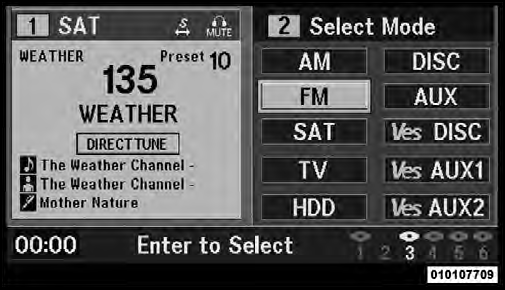
Select FM Mode On The VES Screen
See also:
To Set A Desired Speed
Turn the Electronic Speed Control ON. When the vehicle
has reached the desired speed, press the SET (-) button
and release. Release the accelerator and the vehicle will
operate at the selected s ...
Multi-Displacement System (MDS) (If Equipped) — 5.7L Engine Only
This feature offers improved fuel economy by shutting
off four of the engine’s eight cylinders during light load
and cruise conditions. The system is automatic with no
driver inputs or additio ...
Garage Door Opener — If Equipped
HomeLink replaces up to three hand-held transmitters
that operate devices such as garage door openers, motorized
gates, lighting or home security systems. The
HomeLink unit is powered by your ve ...