


Using The Touch-Screen Radio Controls
1. Press the MENU hard-key on the radio faceplate.
2. Touch the Rear VES soft-key to display the Rear VES Controls. If a channel list is displayed, press the HIDE LIST soft-key to display the Rear VES Controls screen.
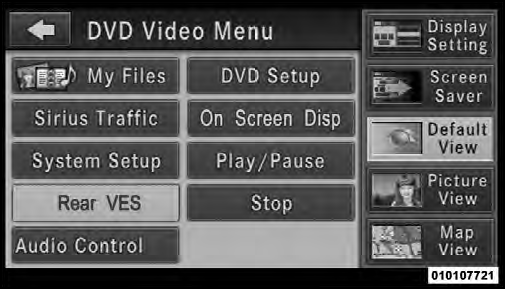
Rear VES Soft-key
3. To listen to an audio source on Channel 2 while a video is playing on Channel 1, touch the 2 soft-key and choose an audio source. To exit touch the back arrow soft-key at the top left of the left screen.
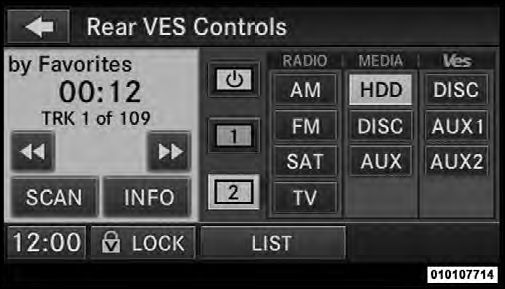
Select Channel/Screen 2 And HDD In The MEDIA Column
See also:
Dial By Saying A Number
• Press the button to begin.
• After the “Ready” prompt and the following beep, say
“Dial”.
• The system will prompt you to say the number you
want to call.
• For example, you ...
Extreme Cold Weather (Below –20°F Or 29°C)
To ensure reliable starting at these temperatures, use of
an externally powered electric engine block heater (available
from your authorized dealer) is recommended. ...
Wind Buffeting
Wind buffeting can be described as the perception of
pressure on the ears or a helicopter-type sound in the
ears. Your vehicle may exhibit wind buffeting with the
windows down, or the sunroof (i ...