


Remote Control Storage
The video screen(s) come with a built in storage compartment for the remote control which is accessible when the screen is opened. To remove the remote, use your index finger to pull and rotate the remote towards you. Do not try to pull the remote straight down as it will be very difficult to remove. To return the remote back into its storage area, insert one long edge of the remote into the two retaining clips first, and then rotate the remote back up into the other two retaining clips until it snaps back into position.
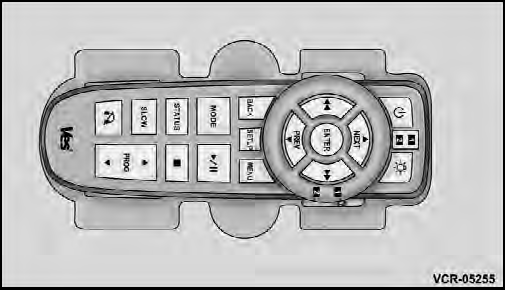
The Remote Control Storage
See also:
Tire Inflation Pressures
Tire pressure should be checked and adjusted as well as inspected for signs of
tire wear or visible damage, at least once a month. Use a good quality pocket-type
gauge to check tire pressure. Do n ...
Five-Speed Automatic Transmission (3.6L Engine) — If Equipped
The shift lever position display (located in the instrument
panel cluster) indicates the transmission gear range. You
must press the brake pedal to move the shift lever out of
the PARK position ...
Seat Belt Extender
If a seat belt is too short, even when fully extended and
when the adjustable upper shoulder belt anchorage (if
equipped) is in its lowest position, your authorized
dealer can provide you with a ...