


Temperature Controls
• Driver Temperature Control
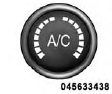
Rotate this control to regulate the temperature of the air inside the passenger compartment for the left front seat occupant. Rotating the dial left into the blue area of the scale indicates cooler temperatures, while rotating right into the red area indicates warmer temperatures.
• Passenger Temperature Control
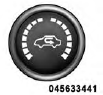
Rotate this control to regulate the temperature of the air inside the passenger compartment for the right front seat occupant. Rotating the dial left into the blue area of the scale indicates cooler temperatures, while rotating right into the red area indicates warmer temperatures.
NOTE: If your air conditioning performance seems lower than expected, check the front of the A/C condenser located in front of the radiator for an accumulation of dirt or insects. Clean with a gentle water spray from behind the radiator and through the condenser.
Fabric front fascia protectors may reduce airflow to the condenser, reducing air conditioning performance.
See also:
Phone Call Features
The following features can be accessed through the Uconnect™ Phone if the feature(s)
are available on your mobile service plan. For example, if your mobile service plan
provides three-way callin ...
Heated Mirrors — If Equipped
These mirrors are heated to melt frost or ice. This
feature is activated whenever you turn on the rear
window defroster. Refer to “Rear Window Features” in
“Understanding The Features of ...
Instrument Cluster Descriptions
1. Fuel Gauge
The pointer shows the level of fuel in the fuel tank when the ignition switch
is in the ON/RUN position.
2. Charging System Light
This light shows the status of the electrical cha ...