


Battery Replacement
The recommended replacement battery is CR2032.
NOTE:
• Perchlorate Material — special handling may apply.
See www.dtsc.ca.gov/hazardouswaste/perchlorate • Do not touch the battery terminals that are on the back housing or the printed circuit board.
1. Remove the screw from the RKE transmitter case (if equipped).
2. With the RKE transmitter buttons facing down, use a flat blade tool to pry the two halves of the RKE transmitter case apart. Make sure not to damage the seal during removal.
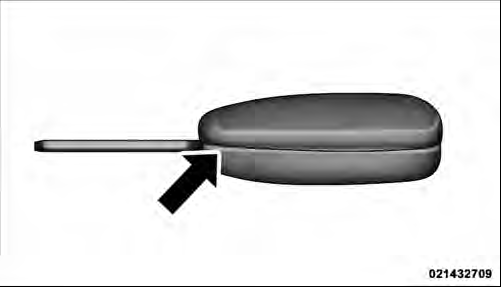
Separating Case Halves
3. Remove and replace the battery. Avoid touching the new battery with your fingers. Skin oils may cause battery deterioration. If you touch a battery, clean it with rubbing alcohol.
4. To reassemble the RKE transmitter case, snap the two halves together.
5. Reinstall and tighten the screw until snug (if equipped).
See also:
To Deactivate
A soft tap on the brake pedal, pushing the CANCEL
button, or normal brake pressure while slowing the
vehicle will deactivate Electronic Speed Control without
erasing the set speed memory. Pressi ...
Bluetooth Streaming Audio (BTSA)
Music can be streamed from your cellular phone to the
Uconnect™ phone system.
Controlling BTSA Using Radio Buttons
To get into the BTSA mode, press either “AUX” button on
the radio or pres ...
Ignition Key Removal
Automatic Transmission
Place the shift lever in PARK. Turn the key to the ACC
position and then push the key and cylinder inward
slightly and rotate the key to the LOCK position. Then
remove th ...