


Control Buttons
The Compass/Temperature control buttons are located on the left spoke of the steering wheel.
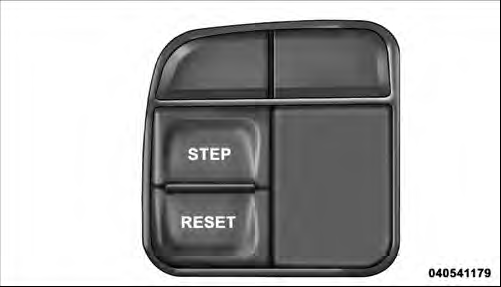
Mini-Trip Control Buttons
Press and release the STEP button on the steering wheel to access the options in the Compass display.
NOTE: The system will display the last known outside temperature when starting the vehicle and may need to be driven several minutes before the updated temperature is displayed. Engine temperature can also affect the displayed temperature; therefore, temperature readings are not updated when the vehicle is not moving.
The following displays can be reset or changed:
• Compass/Temperature
• AVG ECO (changes to present fuel economy)
• ET (will reset display)
• DTE (distance to empty)
These messages can be cycled through by pressing the STEP button on the steering wheel. To reset theAVG ECO or ET, press and hold the STEP button for approximately three seconds.
See also:
Safety
The Liberty comes standard with side curtain airbags that cover both rows of
seats, but there isn't the added protection of side-impact airbags for the front
seats. Stability control is also stand ...
CD/DVD Disc Maintenance
To keep a CD/DVD in good condition, take the following
precautions:
1. Handle the disc by its edge; avoid touching the
surface.
2. If the disc is stained, clean the surface with a soft cloth,
...
Three-Way Calling
To initiate three-way calling, press the
button while a call is in progress,
and make a second phone call, as described under “Making a Second Call While Current
Call is in Progress”. After ...