


Window Lockout Button
The window lockout button on the driver’s door trim panel allows you to disable the window control on the rear doors. To disable the window control on the other doors, press and release the window LOCKOUT button (setting it in the down position). To enable the window controls, press and release the window LOCKOUT button again (setting it in the up position).
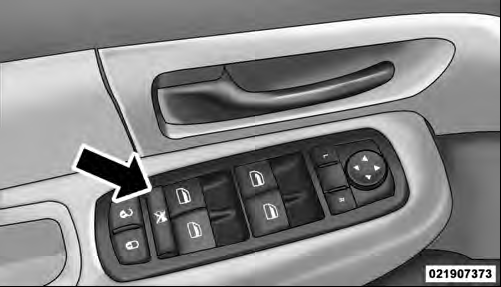
Window Lockout Button
See also:
Headlamp Off Delay
When this feature is selected, the driver can choose to
have the headlights remain on for 0, 30, 60, or 90 seconds
when exiting the vehicle. To make your selection, scroll
up or down until the p ...
Setting the Tone, Balance, and Fade
Push the rotary TUNE/SCROLL control knob and BASS will display. Turn the TUNE/SCROLL
control knob to the right or left to increase or decrease the bass tones.
Push the rotary TUNE/SCROLL control kn ...
FCW Unavailable Warning
If the system turns off, and the EVIC displays “ACC/
FCW Unavailable, Vehicle System Error”, there may be a
temporary malfunction that limits FCW functionality.
Although the vehicle is still ...