


Window Lockout Button
Jeep Grand Cherokee / Jeep Grand Cherokee Owners Manual / Things to know before starting your vehicle / Windows / Power Windows / Window Lockout Button
The Window Lockout button on the driver’s door allows you to disable the window controls on the rear doors. To disable the window controls on the rear doors, press the Window Lockout button. To enable the window controls, press the Window Lockout button again.
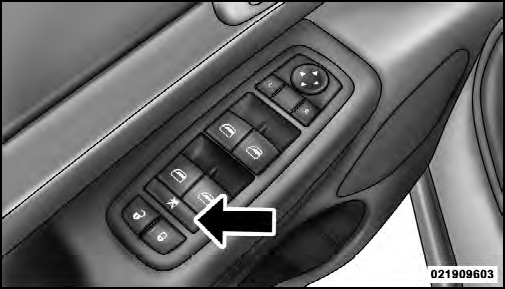
Window Lockout Button
See also:
Normal Starting
NOTE: Normal starting of either a cold or a warm
engine is obtained without pumping or pressing the
accelerator pedal.
Turn the ignition switch to the START position and
release when the engine ...
SMS
Uconnect™ Phone can read or send new messages on
your phone.
Read Messages:
If you receive a new text message while your phone is
connected to Uconnect™ Phone, an announcement will
be made ...