


Average Fuel Economy / Fuel Saver Mode — If Equipped
Shows the average fuel economy since the last reset.
When the fuel economy is reset, the display will read “RESET” or show dashes for two seconds. Then, the history information will be erased, and the averaging will continue from the last fuel average reading before the reset.
The FUEL SAVER MODE message will display above the average fuel economy in the EVIC display. This message will appear whenever the Multi-Displacement System (MDS) (if equipped) allows the engine to operate on four cylinders, or if you are driving in a fuel efficient manner.
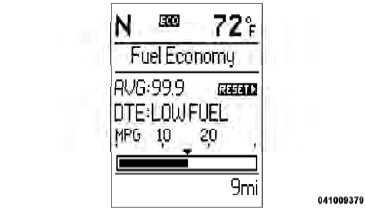
Fuel Saver Mode — On
This feature allows you to monitor when you are driving in a fuel efficient manner, and it can be used to modify driving habits in order to increase fuel economy.
See also:
Transporting Passengers
NEVER TRANSPORT PASSENGERS IN THE CARGO
AREA.
WARNING!
• Do not leave children or animals inside parked
vehicles in hot weather. Interior heat build-up may
cause serious injury or death.
â ...
Tire Identification Number (TIN)
The TIN may be found on one or both sides of the tire, however, the date code
may only be on one side. Tires with white sidewalls will have the full TIN, including
the date code, located on the wh ...
Fluid Capacities
...