


Power Inverter — If Equipped
There is a 115 Volt, 150Watt inverter outlet located on the front of the center console to convert DC current to AC current. This outlet can power cellular phones, electronics and other low power devices requiring power up to 150 Watts. Certain high-end video games, such as Playstation3 and XBox360 will exceed this power limit, as will most power tools.
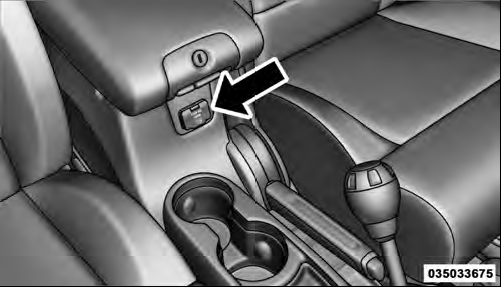
Power Inverter
The power inverter is designed with built-in overload protection. If the power rating of 150 Watts is exceeded, the power inverter will automatically shut down. Once the electrical device has been removed from the outlet the inverter should automatically reset. If the power rating exceeds approximately 170 Watts, the power inverter may have to be reset manually. To reset the inverter manually press the power inverter button OFF and ON.
To avoid overloading the circuit, check the power ratings on electrical devices prior to using the inverter.
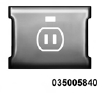
The power inverter switch is located on the instrument panel below the climate controls. To turn on the power outlet, press the switch once. The indicator light will illuminate. Press the switch a second time to turn the power inverter outlet off.
NOTE: When the power inverter switch is pressed, there will be a delay of approximately one second before the inverter indicator light turns ON.
WARNING!
To avoid serious injury or death:
• Do not use a three-prong adaptor.
• Do not insert any objects into the receptacles.
• Do not touch with wet hands.
• Close the lid when not in use.
• If this outlet is mishandled it may cause an electric shock and failure.
See also:
Phone and Network Status Indicators
If available on the radio and/or on a premium display such as the instrument
panel cluster, and supported by your mobile phone, the Uconnect™ Phone will provide
notification to inform you of you ...
List Or Browse Mode
During Play mode, pressing any of the buttons described below, will bring up
List mode. List mode enables scrolling through the list of menus and tracks on the
audio device.
• TUNE control knob ...
Buttons 1 - 6
These buttons tune the radio to the channels that you commit to pushbutton memory
(12 Satellite stations). ...