


Removing The Soft Top
1. Locate and remove the two boxes that contain the following items:
• Right and left door frames
• Door frame attachment knobs (four for two-door models, six for four-door models)
• Right and left quarter windows
• Rear window
• Two rear window roll up straps
• Two Sunrider secure straps (if equipped)
• Two rear swing gate brackets
2. Remove the hard top. Refer to “Freedom Top Three- Piece Modular Hard Top — Front/Rear Panel Removal” in this section.
3. Remove the soft top bow assembly pivot bracket screws (two per side) using a #T30 Torx head driver.
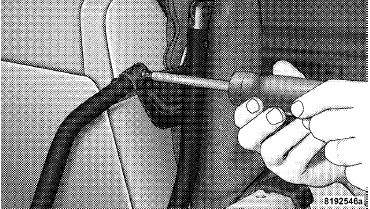
4. Disconnect the knuckles from the left and right metal pivot brackets. Remove the soft top from the vehicle and store in a clean, dry location.
NOTE: To aid in disconnecting the knuckles, you may carefully tap on the knuckles using a rubber mallet.
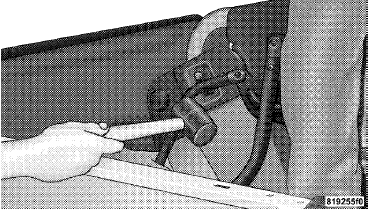
5. Unzip the zipper on the sport bar cover to expose the pivot brackets. Remove the brackets using a #T30 Torx head driver. Recover and re-zip the sports bar cover.
Store the pivot brackets and screws in a safe place.
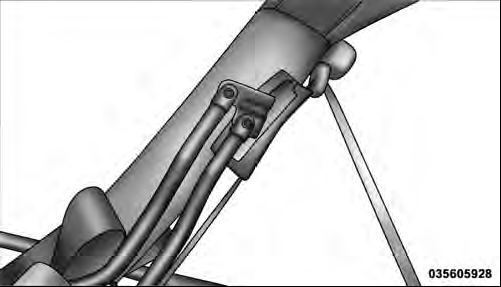
6. Reinstall the hard top. Refer to “Freedom Top Three- Piece Modular Hard Top — Front/Rear Panel Installation” in this section.
See also:
With Tip Start – Automatic Transmission Only
If the engine fails to start after you have followed the “Normal Starting” or
“Extreme Cold Weather” procedures, it may be flooded. To clear any excess fuel,
push the accelerator pedal all ...
Автомобильная аптечка
Медицинская аптечка - необходимый атрибут любого автомобилиста. В этой статье мы посмотрим, какие лекарствеÐ ...
Door Frame
WARNING!
Do not drive your vehicle on pavement with the door frame(s) removed as you will
lose the protection that they can provide. This procedure is furnished for use during
off-road operation ...