


Automatic Dimming Mirror — If Equipped
This mirror automatically adjusts for headlight glare from vehicles behind you. You can turn the feature on or off by pressing the button at the base of the mirror.Alight to the left of the button will illuminate to indicate when the dimming feature is activated. The sensor to the right of the button does not illuminate.
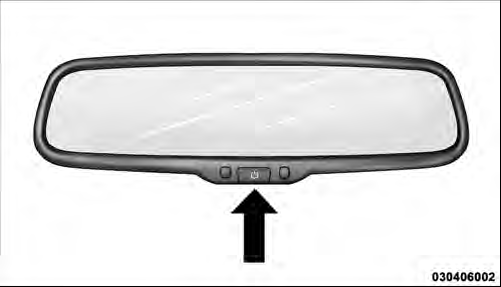
Automatic Dimming Mirror
CAUTION!
To avoid damage to the mirror during cleaning, never
spray any cleaning solution directly onto the mirror.
Apply the solution onto a clean cloth and wipe the mirror clean.
See also:
Media Center 730N/430/430N (RHR/RER/ RBZ/RHB) CD/DVD/HDD/NAV — If Equipped .
.
NOTE: The sales code is located on the lower right side
of the unit’s faceplate.
Refer to your Uconnect™ Multimedia RHR, RER, RBZ or
RHB user’s manual for detailed operating instructions. ...
Dual-Zone Automatic Temperature Control (ATC) — If Equipped
• The Automatic Temperature Control (ATC) allows
both driver and front passenger seat occupants to
select individual comfort settings.
• When occupants in the vehicle select the AUTO mode
o ...
Opening Sunroof — Express
Press the switch rearward and release it within one-half
second and the sunroof will open automatically from any
position. The sunroof will open fully and stop automatically.
This is called “Ex ...