


Four–Speed Automatic Transmission
The shift lever position display (located in the instrument panel cluster) indicates the transmission gear range. You must press the brake pedal to move the shift lever out of the PARK position (refer to “Brake/Transmission Shift Interlock System” in this section). To drive, move the shift lever from PARK or NEUTRAL to the DRIVE position.
The electronically-controlled transmission provides a precise shift schedule. The transmission electronics are self-calibrating; therefore, the first few shifts on a new vehicle may be somewhat abrupt. This is a normal condition, and precision shifts will develop within a few hundred miles (kilometers).
Shifting from DRIVE to PARK or REVERSE should be done only after the accelerator pedal is released and the vehicle is stopped. Be sure to keep your foot on the brake pedal when moving the shift lever between these gears.
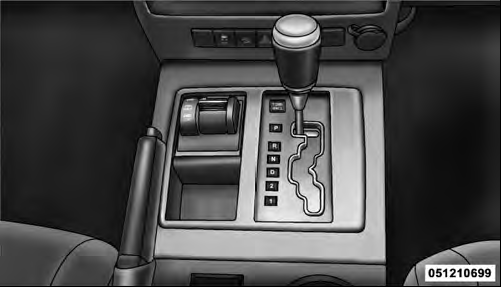
Shift Lever
See also:
Language Selection
To change the language that the Uconnect™ Phone is using:
• Press the button to begin.
• After the “Ready” prompt and the following beep, say the name of the language
you wish to switch ...
Supplemental Restraint System (SRS) — Air Bags
This vehicle has Advanced Front Air Bags for both the driver and right front
passenger as a supplement to the seat belt restraint systems. The driver’s Advanced
Front Air Bag is mounted in the s ...
Working With Automated Systems
This method is used in instances where one generally has
to press numbers on the mobile phone keypad while
navigating through an automated telephone system.
You can use your Uconnect™ Phone to ...