


Media Center 230 (REQ) — AM/FM Stereo Radio And 6–Disc CD/DVD Changer (MP3/WMA AUX Jack)
NOTE: The radio sales code is located on the lower right side of the radio faceplate.
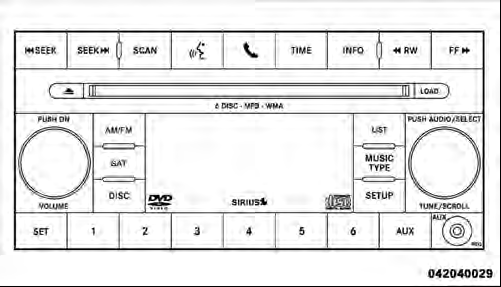
Media Center 230 (REQ)
See also:
Changing the Volume
1. Start a dialogue by pressing the Voice Command
button.
2. Say a command (e.g., “Help”).
3. Use the ON/OFF VOLUME rotary knob to adjust the volume to a comfortable level
while the Voice Co ...
Power-Up
After switching the ignition key from OFF to either the
ON or ACC position, or after a language change, you
must wait at least fifteen seconds prior to using the
system.
...
Disposing Of Used Engine Oil And Oil Filters
Care should be taken in disposing of used engine oil and
oil filters from your vehicle. Used oil and oil filters,
indiscriminately discarded, can present a problem to the
environment. Contact yo ...